The $2,000 Home Office Setup: How to Build a World-Class WFH Station
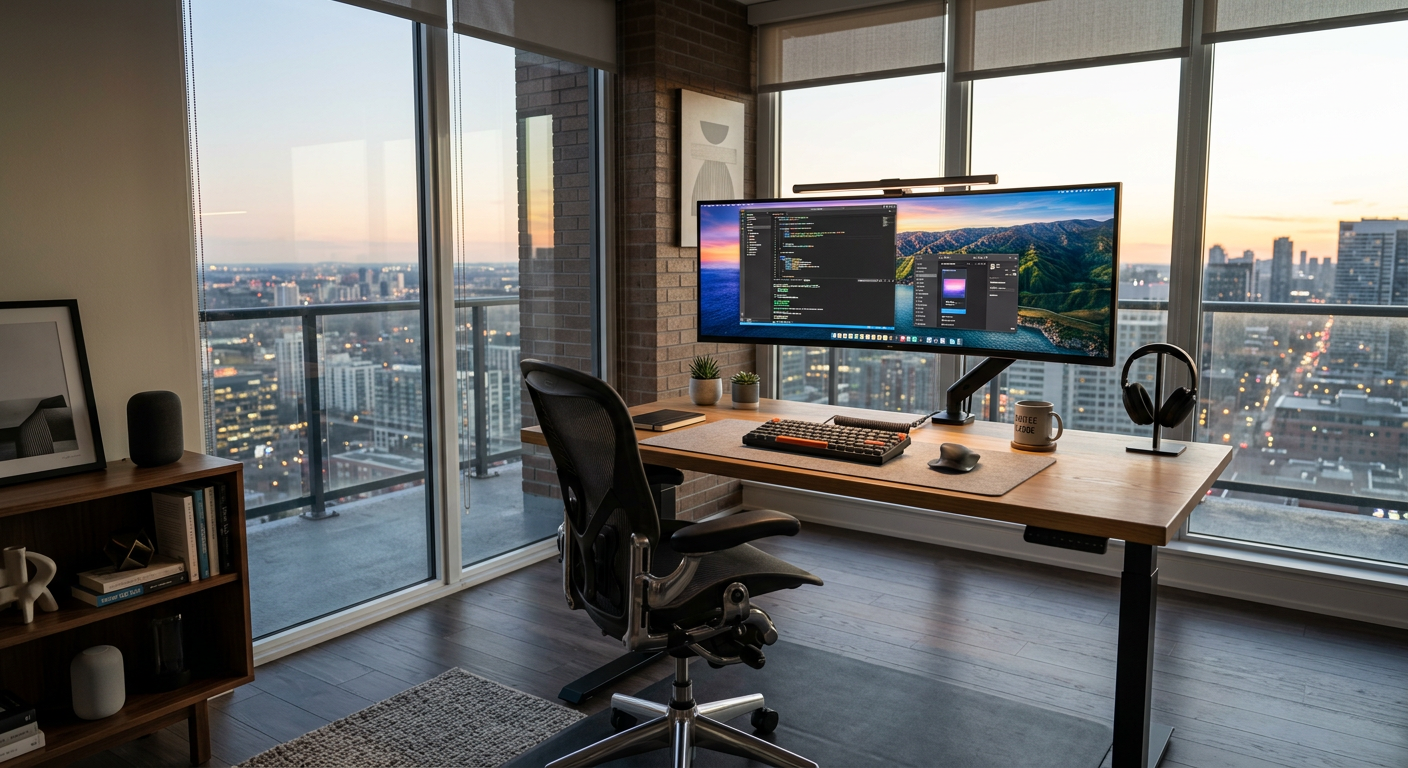
A $2,000 home office budget is enough to build something genuinely exceptional — better than most corporate offices you'll ever work in. The key is spending in the right order.
The Build
Chair: Refurbished Herman Miller Aeron — $700
The cornerstone. A refurbished Aeron from Crandall Office or SeatFinders comes with a warranty, rebuilt foam, and the same PostureFit SL lumbar that makes it the chair most recommended for back pain.
This is $700 well spent. You'll sit in this chair 8+ hours a day for 10+ years.
Budget remaining: $1,300
Standing Desk: FlexiSpot E7 — $499
Dual-motor, 355 lb capacity, 15-year frame warranty. Height range covers sitting to standing for nearly any height. The best value standing desk available.
Budget remaining: $801
Monitor: LG 34WN80C-B Ultrawide — $449
34", 3440×1440 IPS, USB-C with 60W power delivery. The ultrawide eliminates the need for a second monitor for most workflows. One continuous workspace, no bezel dividing your view.
USB-C means one cable to your laptop — power and display.
Budget remaining: $352
Keyboard: Keychron K2 Pro — $99
QMK/VIA programmable, hot-swappable, wireless. Works with Mac and Windows. The best keyboard value under $100. If you want to spend more, the HHKB ($250) is the premium step.
Budget remaining: $253
Mouse: Logitech MX Master 3S — $99
MagSpeed scroll, multi-device, 8000 DPI. The best productivity mouse for most people.
Budget remaining: $154
Desk Lamp: BenQ ScreenBar Plus — $189 (use $154, get close)
The ScreenBar Plus adds the wireless controller and more brightness options vs the standard ScreenBar. For a premium setup, the wireless dial is worth it.
At this point you're over budget by $35 — either drop to the standard ScreenBar ($109) or go slightly over.
The Complete $2,000 Build
| Item | Price |
|---|---|
| Refurbished Herman Miller Aeron | $700 |
| FlexiSpot E7 Standing Desk | $499 |
| LG 34WN80C-B Ultrawide | $449 |
| Keychron K2 Pro | $99 |
| Logitech MX Master 3S | $99 |
| BenQ ScreenBar | $109 |
| Total | $1,955 |
| Cable management kit | $45 |
| Grand total | $2,000 |
What This Setup Does for You
- You'll never have back pain from your chair
- Alternating sitting and standing maintains energy through the day
- The ultrawide is a single continuous workspace that eliminates window juggling
- Everything works wirelessly (keyboard, mouse) through a single monitor connection
- Your desk is clean and professional
What You're Skipping
Webcam: Unless you're on calls constantly, your laptop camera is fine. Add a Logitech C920 ($70) if video quality matters for your work.
Headset: Add Sony WH-1000XM5 ($350) or Jabra Evolve2 55 ($380) if you're on calls 3+ hours daily.
Docking station: The ultrawide's USB-C handles display + power. Add a hub ($30-50) for extra USB ports if needed.
Frequently Asked Questions
Q: Is a standing desk worth the cost? A: For most people who use it consistently, yes. Alternating between sitting and standing maintains energy, reduces back strain, and improves posture over time. The FlexiSpot E7 at $499 is the best value option.
Q: Should I get an ultrawide or dual monitors? A: For most productivity workers, an ultrawide is better — one continuous workspace, no bezel, simplified cable setup. Dual monitors are better if you need a secondary display for reference material while working on the primary.
Q: How long will a $2,000 home office setup last? A: A well-chosen setup at this price point should last 10+ years. The Aeron frame is essentially permanent. Standing desk motors last 10,000+ cycles. Monitors can last 10+ years. Keyboards and mice are the most likely to need replacement, but even those last 5-7 years.