Best Mouse Pads for Home Office in 2026: Extended Mats vs Standard
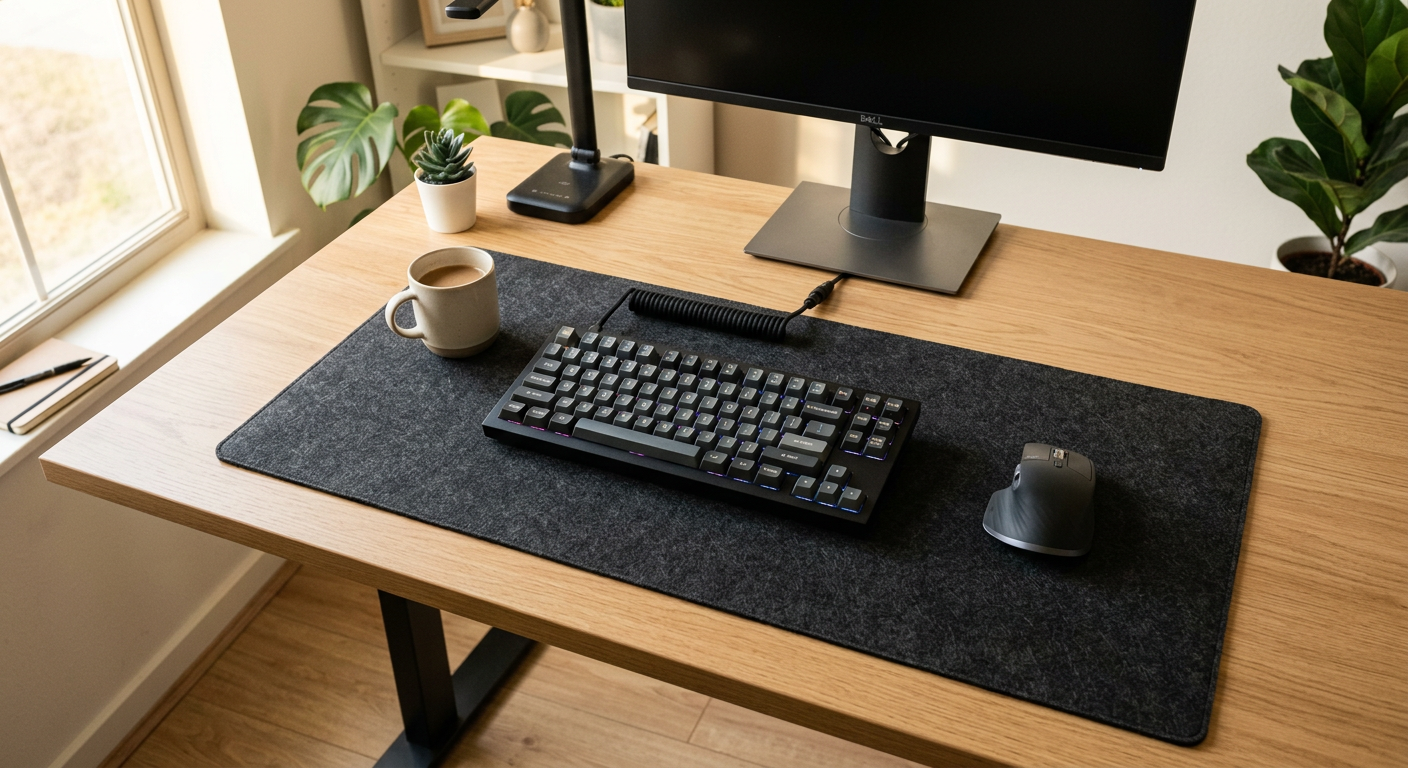
Most people don't think about mouse pads until their mouse starts skipping or their wrist starts aching. By then, the cheap foam pad that came with their keyboard has been sitting under their arm for three years.
A quality mouse pad or desk mat is one of the cheapest upgrades with the biggest day-to-day impact. Here's what to get.
Extended Mat vs Standard Pad
Standard mouse pad (10"×12"): Works. Keeps your mouse on a consistent surface. Fine for most setups.
Extended desk mat (24"×12" or larger): Covers your whole desk. Keyboard, mouse, coffee cup — everything sits on it. Cleaner look, more wrist support, better desk protection.
If you're already thinking about upgrading, get the extended mat. The price difference is minimal ($15 vs $35) and the experience is significantly better.
The Rankings
#1 Logitech G840 XL — Best Extended Mat Overall
Price: $49
904×400mm. Low-profile 3mm thickness. The surface is medium-friction — fast enough for precision mousing, consistent enough for control. Rubber base doesn't shift.
Built for gaming but perfect for office use. The extra size means you can move your mouse in large sweeping arcs without running off the edge.
Best for: Anyone who moves their mouse a lot (designers, people with large monitors).
#2 Grovemade Wool Felt Desk Mat — Best Premium Option
Price: $99
If your desk is your office and you care about aesthetics, the Grovemade Wool Felt mat is in a different category visually. Natural grey or charcoal, minimal texture, matches any setup. Not the best for gaming-grade precision, but excellent for typing comfort and looks.
Best for: Aesthetic-focused setups, people who want their desk to look like a magazine photo.
#3 SteelSeries QcK+ — Best Budget Extended
Price: $29
450×400mm. Simple, reliable, medium surface. SteelSeries has been making quality pads for 20+ years. Nothing fancy — does the job well at a fair price.
Best for: Budget buyers who just need a proper surface.
#4 Razer Gigantus V2 — Best for Wrist Comfort
Price: $39–59
The Gigantus has the thickest foam base (4mm) in this category, which makes a real difference for wrist comfort during long sessions. Micro-textured surface works well with any sensor.
Best for: People with wrist fatigue, long typing/mousing sessions.
Does Your Mouse Pad Affect Your Keyboard?
Your keyboard sits on it too. A proper desk mat keeps your keyboard stable, reduces noise when you're typing hard, and protects your desk surface. It's the unsexy base layer that makes everything else feel more premium.
Frequently Asked Questions
Q: Should I get an extended desk mat or a standard mouse pad? A: Extended mat if you have the desk space. It covers everything, looks cleaner, and costs only $10-20 more than a quality standard pad. The Logitech G840 XL at $49 is the standard recommendation.
Q: Does the mouse pad surface type matter? A: Yes. Cloth surfaces (most desk mats) provide control and some resistance — good for precision. Hard surfaces (plastic/glass) are faster with less resistance — better for fast sweeping movements. Most remote workers prefer cloth.
Q: Can I wash a desk mat? A: Cloth mats can be hand-washed in cold water and laid flat to dry. Machine washing degrades the rubber backing over time. Spot clean is best for regular maintenance.
Q: How thick should a mouse pad be? A: 3-4mm is the sweet spot. Thin pads (2mm) don't provide much cushioning. Thick pads (5mm+) can feel wobbly. The Razer Gigantus at 4mm is a good upper end for wrist support.
Q: What size desk mat should I get? A: Measure your desk and go as large as your setup allows. Most people find 900×400mm works well for standard setups. If you have a 27"+ monitor, go larger.