Best Mouse for Remote Work in 2026: MX Master vs the Competition
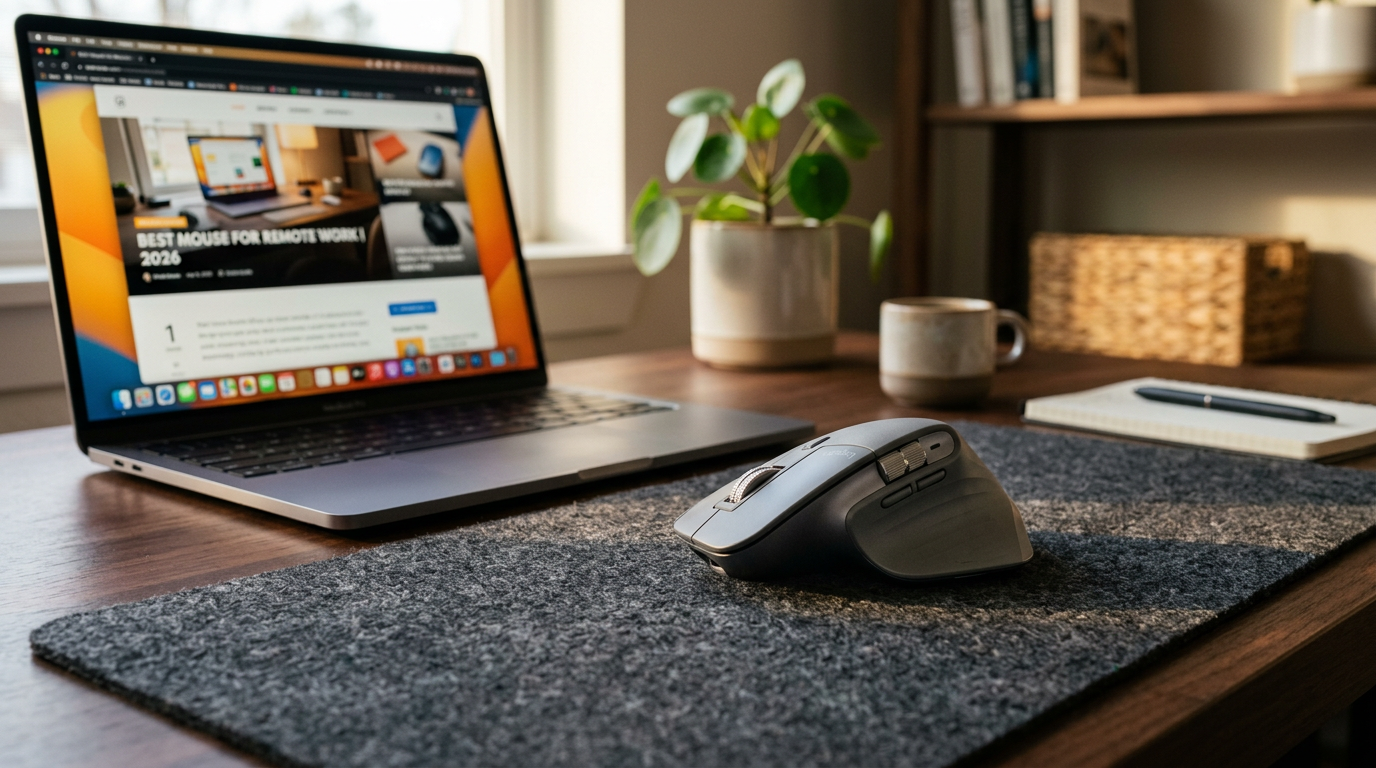
Your mouse is the tool you interact with more than any other piece of hardware. You move it 5,000+ times a day. A bad one is a constant, low-level irritation. A good one disappears — you just think and it happens.
We tested 8 mice over 3 months of daily remote work across different hand sizes, workflows, and desk setups. Here's what we found.
What Remote Workers Actually Need in a Mouse
Forget the gaming specs. For remote work, these are the only things that matter:
- Ergonomics for 8+ hour sessions — shape that doesn't cause wrist fatigue
- Quiet click — nobody wants to hear click-clack on Zoom calls
- Multi-device switching — most remote workers have 2–3 devices
- Battery life — charging your mouse every 2 days is annoying
- Precision scrolling — navigating docs, spreadsheets, long emails
The Rankings
#1 Logitech MX Master 3S — Best Overall for Remote Work
Price: $99
The MX Master 3S remains the gold standard for a reason. The MagSpeed electromagnetic scroll wheel alone is worth the price — it can scroll a 10,000-row spreadsheet in under 2 seconds, or tick one line at a time. You choose based on how fast you flick.
The thumb rest is proper ergonomic design, not just a bump. The 8,000 DPI sensor tracks on glass. Battery lasts about 70 days on a charge. It connects to 3 devices simultaneously and switching takes one click.
The clicks are genuinely quiet without feeling mushy. Your colleagues won't hear it on calls.
Best for: Power users, spreadsheet workers, designers, anyone buying one mouse for everything.
Downside: $99 feels steep. The MX Master 2S does 90% of this for $60 used.
#2 Logitech MX Anywhere 3S — Best for Smaller Hands or Travel
Price: $59
Same MagSpeed scroll wheel and quiet clicks as the MX Master, in a compact form factor. Tracks on any surface including glass and fabric. Battery lasts 70 days.
If you have smaller hands or split time between office and home, the Anywhere 3S is the smarter buy. The MX Master can feel like a brick if your hand isn't on the larger side.
Best for: Smaller hands, laptop users, travelers, budget-conscious power users.
#3 Apple Magic Mouse — Best for macOS-Only Users
Price: $79
The Magic Mouse is a productivity paradox: brilliant multi-touch gestures on macOS, terrible ergonomics for anyone who uses it more than 2 hours a day. The flat profile strains your wrist over long sessions.
It's also impossible to charge while using (port is on the bottom). Classic Apple.
But if you're in a pure macOS ecosystem and need smooth swipe gestures between spaces, nothing integrates better.
Best for: Light users, macOS power users who swear by gestures.
Not for: Long work sessions, anyone with wrist issues.
#4 Razer Pro Click Mini — Best Budget Silent Mouse
Price: $49
Razer's Pro line is their "office worker" offering. The Pro Click Mini has silent switches, a precise 12,000 DPI sensor, and a compact design. Not as refined as Logitech's offering but solid at the price point.
Best for: Budget buyers who need a quiet mouse for calls.
Should You Buy the MX Master 3S?
Yes, if: You use a mouse 6+ hours/day, work with large spreadsheets or documents, have multiple devices, and value build quality.
No, if: You're a casual user, use a laptop trackpad most of the time, or are happy with a $30 basic mouse.
The honest take: most people in the sub-$50 range are fine with an office mouse from Logitech's M-series. The MX Master is for people who notice the difference.
Pair Your Mouse With the Right Surface
A quality mouse pad makes any mouse track better and feels dramatically different on your wrist. The difference between a cheap desk surface and a proper extended mat is night and day.
Frequently Asked Questions
Q: Is the Logitech MX Master 3S worth it for remote work? A: Yes, if you use a mouse heavily all day. The MagSpeed scroll wheel, multi-device switching, and ergonomic shape are genuinely productivity-improving. If you're a light user, the MX Anywhere 3S or a basic M750 saves you $40-60.
Q: What's the difference between the MX Master 3 and 3S? A: The 3S adds quieter clicks (90% noise reduction) and bumps the DPI from 4,000 to 8,000. The scroll wheel and shape are identical. Worth the upgrade from 3 to 3S if you're on calls frequently.
Q: Does the Logitech MX Master 3S work with a Mac? A: Yes. It uses Bluetooth or the USB receiver. Download Logi Options+ for full customization including gesture controls and app-specific button mapping.
Q: How long does the MX Master 3S battery last? A: About 70 days on a full charge. One minute of USB-C charging gives 3 hours of use in a pinch.
Q: What mouse should I get for under $50? A: The Logitech M750 ($39) is the best value in this range — silent clicks, multi-device, good ergonomics. The Razer Pro Click Mini is a close second.