Logitech MX Master 3S vs MX Keys Mini: Which is Worth It for Remote Work?
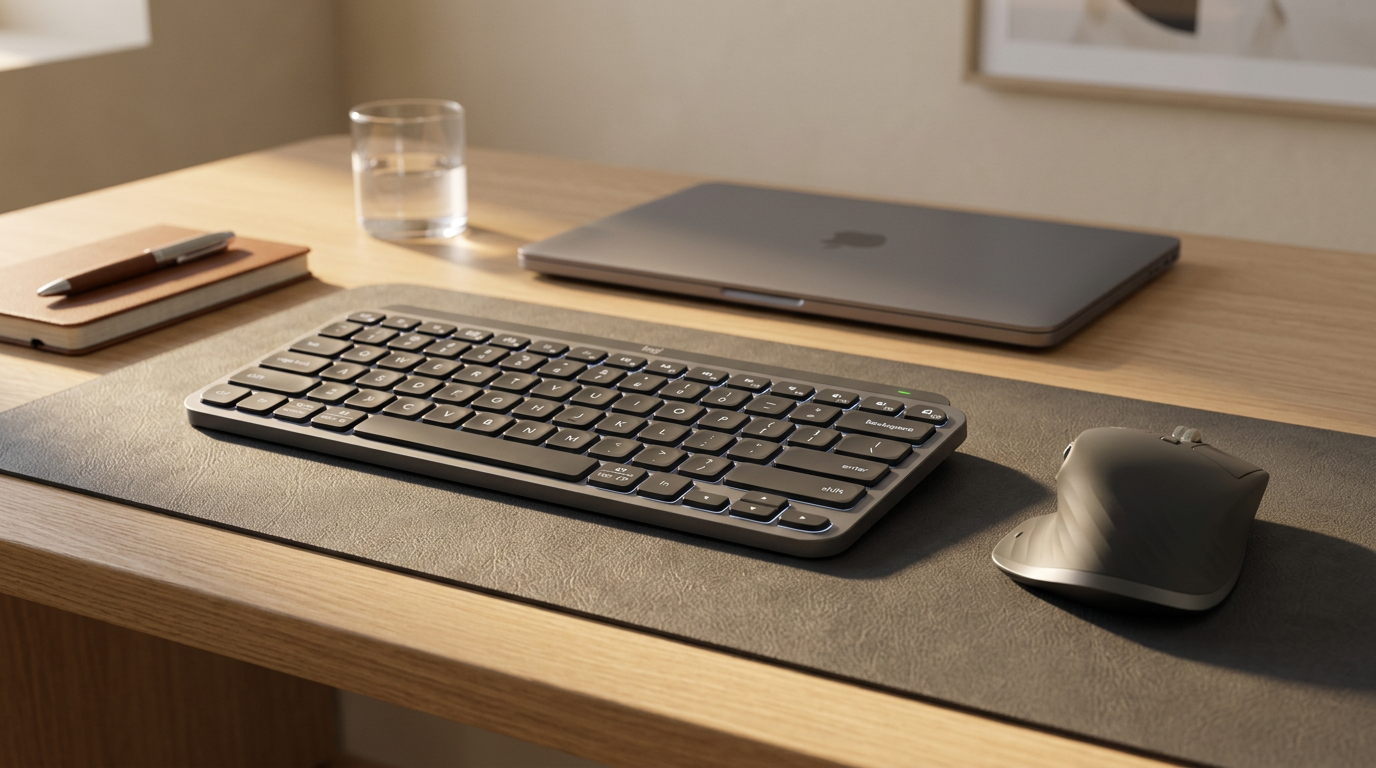
This isn't actually a versus — the MX Master 3S is a mouse and the MX Keys Mini is a keyboard. But people constantly search to compare them when deciding how to spend $100-200 on productivity peripherals.
So here's the real question: should you upgrade your mouse or your keyboard first?
Upgrade Your Mouse First If...
- You do a lot of navigation, scrolling, or moving between apps
- You work with large spreadsheets, documents, or design files
- You're using a cheap $15-20 mouse currently
- You work on multiple devices (the 3-device switching is genuinely useful)
The MX Master 3S ($99) will make the biggest day-to-day difference here. The MagSpeed scroll wheel is the single most impactful feature — scrolling a long document or spreadsheet goes from a chore to instant.
Upgrade Your Keyboard First If...
- You write a lot — emails, documents, reports
- You type for 6+ hours a day and feel fatigue
- You're using a laptop keyboard or a cheap membrane keyboard
- You're on calls a lot (quieter keyboard = better experience for others)
The MX Keys Mini ($99) has the best typing feel in this price range. Low-profile scissor keys with just the right amount of tactility. Very quiet. Backlit with proximity sensors.
The MX Master 3S — What Makes It Special
-
MagSpeed scroll wheel: Frictionless mode scrolls at 1000 lines per second. Click to engage precision mode. Game-changing for any scrolling-heavy workflow.
-
Multi-device switching: One button switches between 3 paired devices. Laptop to desktop to iPad in one click.
-
App-specific customization: Logi Options+ lets you assign different functions to the same button depending on which app is active. In Chrome, the thumb button goes back. In Figma, it pans.
-
8,000 DPI sensor: Tracks on glass. Works on any surface.
-
Comfortable for long sessions: The wide body and thumb rest support your whole hand.
The MX Keys Mini — What Makes It Special
-
Low-profile keys: 1.8mm travel. Feels like a premium laptop keyboard but better.
-
Smart backlight: Turns on when your hands approach, off when you pull away. Battery efficient.
-
Multi-device: Same 3-device switching as the MX Master.
-
Quiet: Significantly quieter than most mechanical keyboards. Good for calls.
-
Mac layout option: Separate Mac version with proper modifier key placement.
If You Buy Both
The MX Master 3S + MX Keys Mini combo ($198) is one of the best productivity setups in the sub-$200 range. Both are compact, quiet, wireless, and work on 3 devices simultaneously.
Pair with a quality mouse pad and you have a complete desk peripheral setup.
Frequently Asked Questions
Q: Is the Logitech MX Master 3S worth $99? A: Yes, if you use a mouse heavily. The MagSpeed scroll wheel, multi-device switching, and build quality are genuinely above anything else in this price range.
Q: How does the MX Keys Mini compare to mechanical keyboards? A: Very different feel. The MX Keys Mini uses low-profile scissor switches — quieter and flatter than mechanical keys, but lacking the tactile bump or click. If you love the feel of mechanical switches, the MX Keys Mini won't satisfy you. If you want quiet and portable, it's excellent.
Q: Do the MX Master and MX Keys Mini share a USB receiver? A: Yes. Logitech's Bolt receiver is shared across devices. You can connect both through one USB-A port, or use Bluetooth on all devices.
Q: What is the battery life of the MX Keys Mini? A: Up to 10 days with backlighting, 5 months with it off. One USB-C charge takes about 2 hours.